
Have you ever copied a heart symbol, fancy letter, or emoji from a website and wondered how it appears on another device?
You might see characters such as ♥, ★, ©, or 𝓐 everywhere online, but they’re not all available on a regular keyboard.
These are examples of Unicode characters, which help computers and phones recognize, store, and display text from different languages and writing systems.
In this guide, you’ll learn what Unicode characters are, how they work, their common types, and how to copy and use them in everyday applications.
What Are Unicode Characters?
Unicode characters are letters, numbers, punctuation marks, symbols, and other text elements defined by the Unicode Standard.
Unicode is a universal character standard designed to help computers represent text consistently, regardless of the language, device, or operating system being used.
For example, the English letter A, the copyright symbol ©, and the heart symbol ♥ all have their own Unicode code points.
Instead of relying on different character systems for every language, Unicode provides a shared way to identify characters.
This is why you can write English, Arabic, Chinese, and many other languages in the same digital document.
Unicode also includes mathematical symbols, currency signs, arrows, and characters used in emojis.
According to the Unicode Consortium, the standard assigns unique numerical values to characters so different computer systems can exchange text reliably.
How Do Unicode Characters Work?
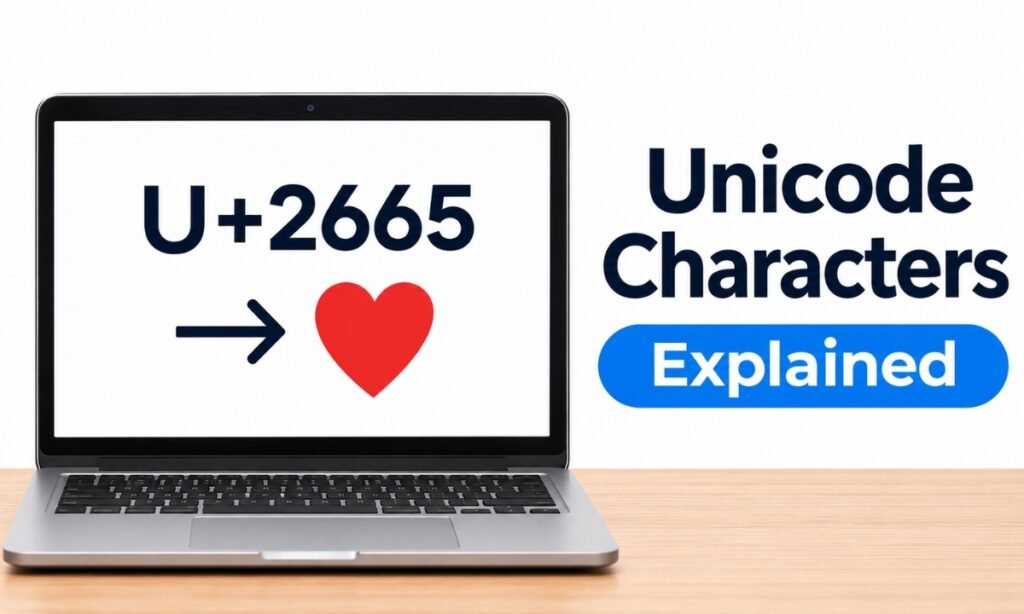
Computers store and process information using numbers. Unicode makes text understandable to computers by assigning characters numerical identifiers called code points.
For example:
| Character | Unicode Code Point |
|---|---|
| A | U+0041 |
| a | U+0061 |
| © | U+00A9 |
| ♥ | U+2665 |
| ★ | U+2605 |
| € | U+20AC |
| ✓ | U+2713 |
| 😀 | U+1F600 |
The prefix U+ identifies a Unicode code point, followed by a hexadecimal number.
Click any symbol to copy it
When you type or paste a character, software uses its encoded representation to store and process it. A compatible font and rendering system then determine how it appears on the screen.
However, one visible character doesn’t always correspond to one code point. Some accented letters and emojis are formed using multiple code points.
You can learn more about this distinction in the Unicode FAQ on characters and combining marks.
What Are the Different Types of Unicode Characters?
Unicode includes much more than ordinary alphabet letters. Its character collection supports writing systems, technical notation, and everyday digital communication.
Here are some common categories.
Letters and Numbers
Unicode includes the Latin alphabet, Arabic letters, Greek letters, Chinese characters, and numerous other writing systems.
Examples include:
- English: A B C
- Greek: α β γ
- Arabic: ا ب ت
- Chinese: 中 文
- Numbers: 0 1 2 3
These characters allow people to communicate in different languages without needing incompatible text encoding systems.
Special Symbols
Many Unicode characters are useful in documents, websites, and social media posts.
Examples include:
- Copyright: ©
- Registered trademark: ®
- Degree: °
- Check mark: ✓
- Infinity: ∞
- Star: ★
- Heart: ♥
You can explore these characters on Cute Symbols to Copy Paste and copy the ones you need.
Mathematical and Currency Symbols
Unicode also includes characters used in mathematical expressions and financial documents.
For example:
| Symbol | Meaning |
|---|---|
| ± | Plus-minus |
| ≠ | Not equal |
| ≤ | Less than or equal to |
| ≥ | Greater than or equal to |
| ∞ | Infinity |
| € | Euro |
| £ | Pound |
| ¥ | Yen |
These characters are useful when preparing assignments, reports, and other documents.
Emojis and Decorative Characters
Unicode provides the foundation for many emojis and decorative text characters.
Examples include 😀, ❤️, ✨, and 🎉.
Some emojis consist of multiple Unicode characters joined together to create a single visible image.
Their visual appearance can differ across Apple, Android, Windows, and other platforms.
The Unicode Emoji Standard explains how emoji characters and sequences are defined.
What Is the Difference Between Unicode and ASCII?
ASCII and Unicode both help computers represent text, but they support very different character ranges.
ASCII is an older character encoding standard containing 128 characters, including English letters, digits, punctuation, and control characters.
Unicode supports a much larger range of writing systems and symbols.
| Feature | ASCII | Unicode |
|---|---|---|
| Character range | 128 characters | Vast range of characters |
| Languages | Basic English-oriented text | Numerous writing systems |
| Emojis | Not supported | Supported |
| Special symbols | Limited | Extensive |
| Main purpose | Basic text representation | Universal text representation |
Unicode preserves the ASCII characters in its first 128 code points.
For example, the letter A corresponds to the value 65 in decimal ASCII and U+0041 in Unicode.
So Unicode didn’t simply replace those familiar characters. It incorporated them into a much larger system.
What Is the Difference Between Unicode and UTF-8?
Unicode and UTF-8 are related, but they perform different jobs.
Unicode defines characters and their code points. UTF-8 defines how those code points are represented as bytes.
For example, Unicode identifies the copyright symbol as U+00A9.
UTF-8 represents that character using the two bytes C2 A9 in hexadecimal.
UTF-8 is widely used for websites and text files because it supports all Unicode code points and remains compatible with ASCII at the byte level for ASCII characters.
Other Unicode encoding forms include UTF-16 and UTF-32.
You can read the Unicode Consortium’s UTF FAQ for a technical explanation of these formats.
For everyday copying and pasting, you usually don’t need to choose an encoding manually.
How to Copy and Paste Unicode Characters
The easiest way to use Unicode symbols is to copy them from a website or another document.
You don’t need to memorize their numerical codes.
Follow these steps:
- Visit Cute Symbols to Copy Paste.
- Find a symbol you want to use.
- Copy the character.
- Open your document, message, or social media profile.
- Paste it using Ctrl + V on Windows or Command + V on Mac.
On a phone, tap and hold inside the destination text field and select Paste.
You can also use an application’s built-in character picker.
For example, Google Docs provides a Special characters menu for searching and inserting Unicode symbols.
Read our guide to inserting symbols in Google Docs for detailed instructions.
Why Do Some Unicode Characters Look Different or Not Display?
Although Unicode provides standardized character identities, it doesn’t guarantee that every device displays characters identically.
The final appearance depends on the fonts, software, and rendering features available on your device.
For example, a heart may appear as a monochrome text symbol in one application and a colorful emoji in another.
Some characters may display as empty boxes if the device lacks appropriate font support.
Combining characters can also be difficult for older applications to render correctly.
If a character doesn’t display properly, try a different font, update your software, or use a simpler alternative.
Unicode support and font support are related, but they are not the same thing.
Are Fancy Fonts and Invisible Text Also Unicode Characters?
Yes, many online fancy-text generators use Unicode characters to create the appearance of different lettering styles.
For example:
- Normal: Hello
- Bold: 𝐇𝐞𝐥𝐥𝐨
- Script: 𝓗𝓮𝓵𝓵𝓸
- Double-struck: ℍ𝕖𝕝𝕝𝕠
These styles are generally made from different characters rather than changing the underlying font formatting.
Some invisible-text tools also use Unicode characters that have little or no visible appearance.
For example, U+200B is a zero-width space, while U+3164 is Hangul Filler.
They serve different purposes and may behave differently when pasted into applications.
Our guide to changing fonts in an Instagram bio explains how Unicode styled letters can be used in social media profiles.
Frequently Asked Questions
Are Unicode characters the same as emojis?
No. Emojis are one part of the broader Unicode ecosystem. Unicode also includes ordinary letters, numbers, punctuation, mathematical symbols, and characters from numerous writing systems.
Can I use Unicode characters on any device?
Most modern devices support Unicode, but individual characters may not display correctly if the required fonts or software features are unavailable.
Is Unicode free to use?
Yes. The Unicode Standard is publicly available, and you can use Unicode characters in your documents, websites, messages, and software.
How many Unicode characters are there?
The total changes as new versions of the standard are released. Unicode contains more than 150,000 encoded characters, including letters, symbols, and characters from historical writing systems.
Conclusion
Unicode makes it possible for people to read, write, and share text across different languages, devices, and applications.
Everyday characters such as letters, numbers, hearts, and copyright symbols are part of this system.
Once you understand how Unicode characters and code points work, it becomes easier to recognize the difference between ordinary text, decorative symbols, emojis, and character encodings.
And whenever you need a special character, copying and pasting it is usually the simplest solution.