
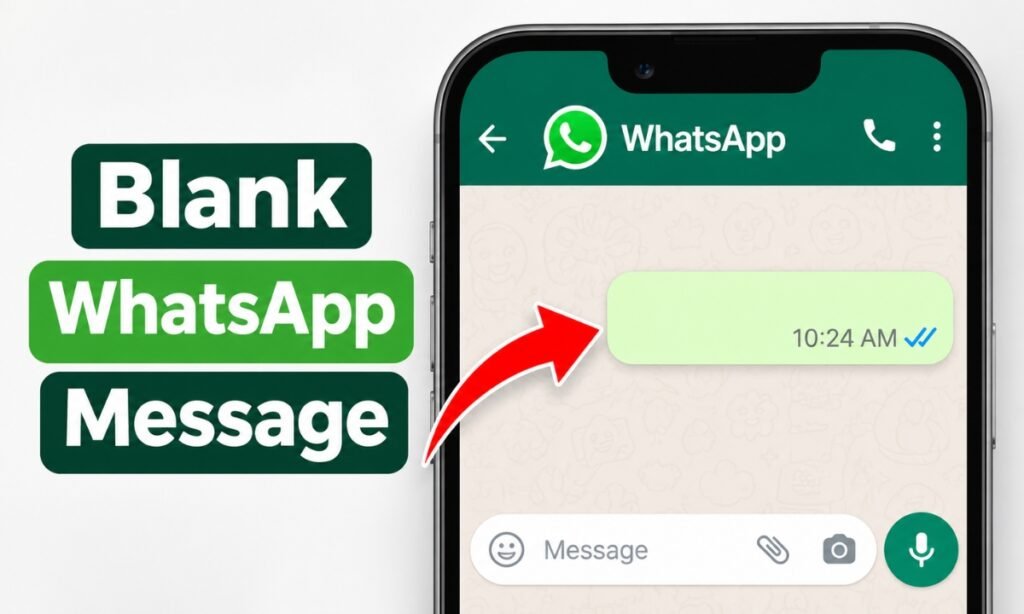
Have you ever received a WhatsApp message that looked completely empty and wondered how someone managed to send it?
You might have tried pressing the spacebar several times, only to notice that WhatsApp wouldn’t let you send anything.
There’s actually a simple trick behind these messages. Instead of regular spaces, you can use special Unicode characters that appear invisible but still count as text.
In this guide, you’ll learn how to send a blank message on WhatsApp using Android, iPhone, or WhatsApp Web. I’ll also explain how invisible characters work, which ones to use, and what to do if WhatsApp refuses to send them.
Can You Send a Blank Message on WhatsApp?
Yes, you can send a message that looks blank on WhatsApp, but you cannot normally send one that contains absolutely nothing.
When you type only ordinary spaces into a WhatsApp chat, the app generally doesn’t recognize them as a valid message. The send button remains unavailable.
However, some Unicode characters look like empty spaces even though they are classified as letters or symbols.
For example, Hangul Filler (U+3164) and Braille Pattern Blank (U+2800) are two characters commonly used for this purpose.
When you copy one of these characters into WhatsApp, the app may recognize it as valid text and allow you to send it.
The recipient then sees a message bubble that appears empty.
This isn’t an official WhatsApp feature, and results can vary depending on your device and WhatsApp version.
How to Send a Blank Message on WhatsApp Using Invisible Text
The easiest method is to copy an invisible character and paste it directly into your WhatsApp chat.
You don’t need a separate keyboard or messaging application.
Follow these steps:
- Open an invisible-text or blank-message generator.
- Select an invisible character, preferably Hangul Filler or Braille Pattern Blank.
- Tap Copy to copy the blank-looking text.
- Open WhatsApp and select the conversation where you want to send it.
- Tap the message field and choose Paste.
- If the send arrow becomes available, tap it.
Your message should appear as an empty-looking bubble if WhatsApp accepts the character.
You can explore the symbol tools on Cute Symbols to Copy Paste to find characters you can use in messages.
Tip: Start with a single invisible character. If WhatsApp doesn’t recognize it, try an alternative character before copying longer strings.
How to Send a Blank Message on WhatsApp Without an App
You can also copy an invisible character directly instead of using a generator.
Try copying the blank-looking character between these brackets:
Hangul Filler: [ㅤ]
Braille Pattern Blank: [⠀]
Only copy the character inside the brackets, not the brackets themselves.
Next, open a WhatsApp conversation, paste the character into the typing field, and check whether the send arrow appears.
If it does, send your message.
The two characters have different Unicode values, so WhatsApp may handle them differently.
For a more convenient experience, a dedicated invisible-text generator with a copy button removes the difficulty of manually selecting characters that you cannot see.
How to Send a Blank Message on WhatsApp on Android
If you’re using a Samsung, Google Pixel, or another Android phone, the process only requires copying and pasting.
Here’s how:
- Open Chrome or another browser.
- Copy a Hangul Filler or Braille Pattern Blank character.
- Launch WhatsApp.
- Open an individual or group conversation.
- Press and hold inside the message field.
- Tap Paste.
- Tap the send arrow if it becomes active.
If you’re having trouble pasting the character, try copying it into your phone’s Notes app first.
Check that the clipboard contains the invisible character, then copy it again and return to WhatsApp.
You don’t need to enable special keyboard settings or give another app access to your messages.
How to Send an Empty Message on WhatsApp on iPhone
The same method works on an iPhone, although the clipboard options may appear slightly different.
Start by copying a blank Unicode character from a symbol generator or the example above.
Then follow these steps:
- Open WhatsApp on your iPhone.
- Select the chat where you want to send the blank message.
- Tap and hold inside the text field.
- Select Paste from the menu.
- Check whether the send button becomes available.
- Tap Send if WhatsApp accepts the character.
You should see an empty-looking message bubble inside the conversation.
If the send button doesn’t appear, the character may have been removed or rejected.
Try copying the alternative character instead.
You can repeat the process without installing any third-party apps or changing your iPhone’s keyboard.
How to Send a Blank Message on WhatsApp Web
You can also try this method from a Windows computer, Mac, or laptop using WhatsApp Web.
The advantage of using a computer is that copying and pasting Unicode characters is straightforward.
Follow these instructions:
- Open WhatsApp Web in your browser.
- Connect your WhatsApp account if necessary.
- Copy an invisible Unicode character.
- Open the conversation where you want to send it.
- Click inside the message field.
- Press Ctrl + V on Windows or Command + V on Mac.
- Press Enter or click the send button if the character is accepted.
The same approach may work in the WhatsApp desktop application.
However, some versions may remove particular invisible characters before sending.
If one character doesn’t work, try another Unicode option.
Why Doesn’t WhatsApp Allow Normal Blank Messages?
WhatsApp generally requires a message to contain recognizable content before it enables the send button.
Pressing the spacebar creates ordinary whitespace, which is different from inserting a Unicode letter or symbol.
Some applications remove whitespace-only input to prevent messages containing no meaningful content.
Invisible Unicode characters behave differently because they have distinct character identities.
For example, Unicode identifies U+3164 as Hangul Filler, while U+2800 is Braille Pattern Blank.
The Braille Pattern Blank is normally displayed without visible dots, but Unicode specifically notes that it doesn’t behave like an ordinary space.
That difference explains why an invisible character may pass a message field’s validation even when regular spaces don’t.
Which Invisible Characters Work Best on WhatsApp?
Not every invisible Unicode character works the same way.
Here are three commonly discussed options:
| Character | Unicode | Description |
|---|---|---|
| Hangul Filler | U+3164 | Blank-looking character classified as a letter |
| Braille Pattern Blank | U+2800 | Blank-looking Braille symbol |
| Zero Width Space | U+200B | Invisible formatting character with no normal visible width |
For WhatsApp messages, I recommend trying Hangul Filler first, followed by Braille Pattern Blank.
A Zero Width Space may be removed or ignored by certain applications, making it less dependable for a message containing only invisible text.
Unicode’s documentation on invisible characters explains how zero-width characters differ from ordinary spaces.
Remember that these are workarounds, not officially supported WhatsApp message types.
Why Is My Blank WhatsApp Message Not Sending?
If WhatsApp refuses to send an invisible message, the problem is usually related to the character itself or how it was copied.
The Character Wasn’t Copied
Because invisible characters have no visible appearance, it’s easy to copy nothing accidentally.
Use a dedicated copy button instead of manually highlighting an invisible space.
You can also paste the character into a text editor and check whether your cursor moves or the character count changes.
WhatsApp Rejected the Character
Some WhatsApp versions may filter particular Unicode characters.
Try Hangul Filler if Braille Pattern Blank doesn’t work, or vice versa.
Neither option is guaranteed to work on every version.
You’re Using Regular Spaces
Pressing the spacebar repeatedly won’t necessarily create a sendable blank message.
You need a suitable Unicode character rather than an ordinary keyboard space.
Your Clipboard Changed
Copying other text after selecting the invisible character replaces your clipboard contents.
Copy the invisible character again immediately before opening WhatsApp.
If normal messages are also failing, investigate your connection using the WhatsApp Help Center’s connection troubleshooting guide.
Are Blank WhatsApp Messages Safe?
Invisible Unicode characters are ordinary text characters. Copying one doesn’t require installing software or providing your WhatsApp password.
However, avoid websites that ask you to sign in to WhatsApp or connect your account merely to generate invisible text.
Also remember that an empty-looking message isn’t actually empty.
It still contains data and can appear in chat history, message notifications, or copied text.
Some accessibility tools may announce the character’s name rather than treat the message as silence.
Sending a blank message occasionally as a joke is generally harmless, but repeatedly sending unwanted messages can annoy recipients.
FAQs
Can I send a blank WhatsApp message without installing an app?
Yes. Copy an invisible Unicode character, such as Hangul Filler or Braille Pattern Blank, and paste it into a WhatsApp conversation. If WhatsApp accepts it, you can send a blank-looking message without installing anything.
Does the blank message trick work in WhatsApp groups?
It may work in group chats using the same copy-and-paste method as individual conversations. However, the result depends on whether WhatsApp accepts the selected invisible character.
Can I send a completely empty WhatsApp message?
Not normally. An empty-looking message contains an invisible character, so it isn’t technically empty. A message with zero characters generally cannot be sent through the standard chat interface.
Why does my blank message appear as a square?
The receiving device may not support the character’s display properly. Try a different Unicode character, such as Braille Pattern Blank or Hangul Filler.
Can someone copy my invisible WhatsApp message?
Yes. Although the message may look empty, it contains actual Unicode text. The character may become apparent when copied into a tool that identifies hidden characters.
Conclusion
Sending a blank message on WhatsApp is possible using invisible Unicode characters instead of ordinary keyboard spaces.
The easiest approach is to copy Hangul Filler or Braille Pattern Blank, paste it into your conversation, and send it if WhatsApp accepts the character.
You can try this on Android, iPhone, and WhatsApp Web without installing additional apps.
Just remember that the message isn’t truly empty, and WhatsApp may change how it handles these characters in future updates.