
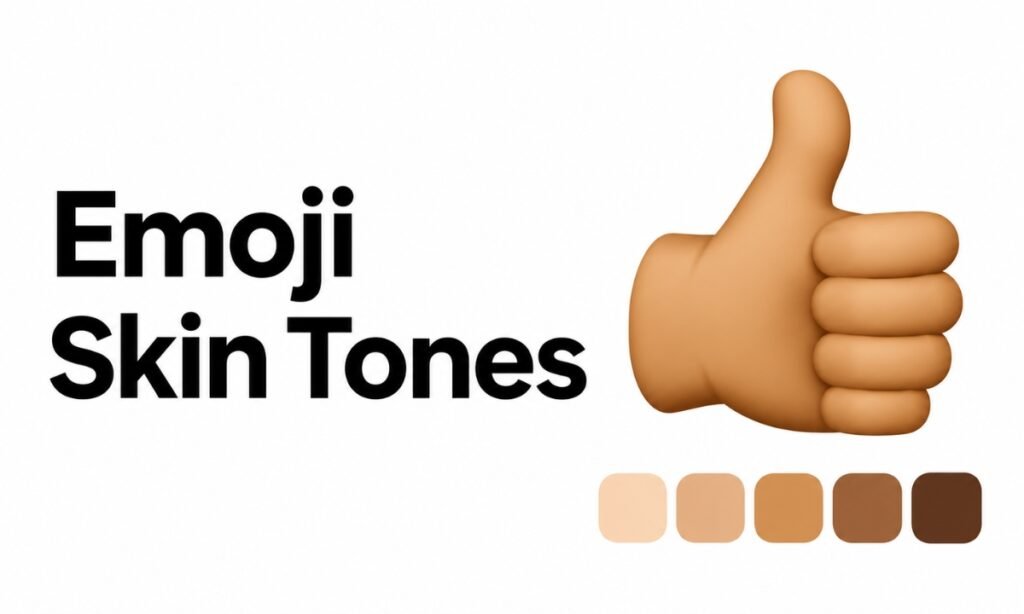
Ever noticed that the same thumbs-up emoji can appear in different skin colors, like 👍🏻, 👍🏽, or 👍🏿?
These variations are possible because of something called emoji skin tone modifiers, which let you change the appearance of certain emojis.
Here’s what they are, how they work, and how you can use them on your device.
What Are Emoji Skin Tone Modifiers?
Emoji skin tone modifiers are special Unicode characters that change the skin color of supported human and body-part emojis.
Instead of having only one appearance, emojis such as 👍 (thumbs up), 👋 (waving hand), and 🙋 (person raising hand) can be displayed in five different skin tones.
These modifiers were introduced in Unicode 8.0 in 2015 to provide more inclusive ways for people to represent themselves in digital communication.
The five options are based on the Fitzpatrick skin type scale, a classification system originally developed to describe how human skin responds to ultraviolet light.
According to the Unicode Emoji Standard, each skin tone modifier has its own Unicode code point.
What Are the Five Emoji Skin Tones?
Unicode defines five skin tone modifiers, ranging from light to dark.
Here’s how they appear when applied to the thumbs-up emoji.
| Skin Tone | Modifier | Example |
|---|---|---|
| Light skin tone | 🏻 | 👍🏻 |
| Medium-light skin tone | 🏼 | 👍🏼 |
| Medium skin tone | 🏽 | 👍🏽 |
| Medium-dark skin tone | 🏾 | 👍🏾 |
| Dark skin tone | 🏿 | 👍🏿 |
The original yellow thumbs-up emoji 👍 remains available as a default option without a skin tone modifier.
You can also use these modifiers with other supported emojis, including 👋, 👏, 🙌, and various person emojis.
The exact shades may look slightly different on Apple, Android, Windows, and other platforms because each uses its own emoji designs.
How Do Emoji Skin Tone Modifiers Work?
When you select a skin tone, your device combines the original emoji with a modifier character.
For example:
👍 + 🏽 = 👍🏽
The thumbs-up emoji and medium skin tone modifier are two separate Unicode characters. When displayed together, compatible devices render them as one emoji with the selected skin tone.
This combination is called an emoji modifier sequence.
You don’t need to combine these characters manually. Your emoji keyboard normally handles it when you choose a skin tone.
You can see how these combinations are defined in Unicode’s official emoji modifier chart.
How to Change Emoji Skin Tone
Most modern smartphones allow you to select a different skin tone directly from the emoji keyboard.
On iPhone and Android
- Open your messaging app and bring up the emoji keyboard.
- Find a supported emoji, such as 👍 or 👋.
- Touch and hold the emoji.
- Select your preferred skin tone from the available options.
- Tap the variation to insert it into your message.
The exact steps may vary depending on your device and keyboard app.
Some keyboards remember your previously selected tone, so you won’t need to change it every time.
On Windows
Press Windows + . (period) to open the emoji panel.
Find a supported human or hand emoji and use the available skin tone selection options. The controls may differ between Windows versions.
You can also copy and paste an existing emoji variation, such as 👋🏽 or 👍🏿, directly into your text.
Do All Emojis Support Skin Tone Modifiers?
No. Skin tone modifiers work only with emojis that Unicode defines as supporting them.
They generally apply to people, hands, and certain human activities.
For example, 👍, 👋, and 🙋 support skin tone variations, while objects such as 🍎, 🚗, and 💻 do not.
Most facial-expression emojis, including 😂 and 😍, also don’t support skin tone changes. They retain their usual appearance regardless of which modifier you select.
Some emojis involving multiple people support different skin tones for each participant. For instance, the handshake emoji can appear as 🫱🏻🫲🏿, representing two hands with different skin tones.
However, not every multi-person emoji supports every possible combination.
FAQs
Can You Use Skin Tone Modifiers Separately?
Yes. The five modifiers 🏻 🏼 🏽 🏾 🏿 can be copied and displayed independently, usually as colored swatches. However, they’re primarily designed to modify supported emojis.
Why Does My Emoji Skin Tone Look Different on Another Phone?
Apple, Google, Microsoft, and other platforms use different emoji artwork. Although they follow the same Unicode definitions, the exact colors and visual details can vary between devices.
Conclusion
Emoji skin tone modifiers let you personalize supported emojis using five different skin tone options. They work by combining a base emoji with a Unicode modifier character.
Whether you’re sending a thumbs-up, waving hello, or choosing a person emoji, you can select the appearance you prefer directly from your keyboard.